Thank You!Let’s Get You Ready To Plan.
Welcome to your Ultimate Teacher Digital Planner — a home for your lesson plans, classroom notes and everyday teaching tasks.
Open your planner product folder in Google Drive, download the files you need, then follow the quick setup steps below.
Open Your Planner Product FolderOpens Google Drive in a new tab. Download individual files or select Download all to save the complete folder.
Your first planning session
Get set up in three simple steps.
Start with the essentials after downloading your files. You can personalize the rest as you go.
Save your planner files
Open the product folder and download the files you need. Start with 07_Quick_Start_Guide.pdf. If you choose Download all, unzip the downloaded folder first.
Open your digital planner
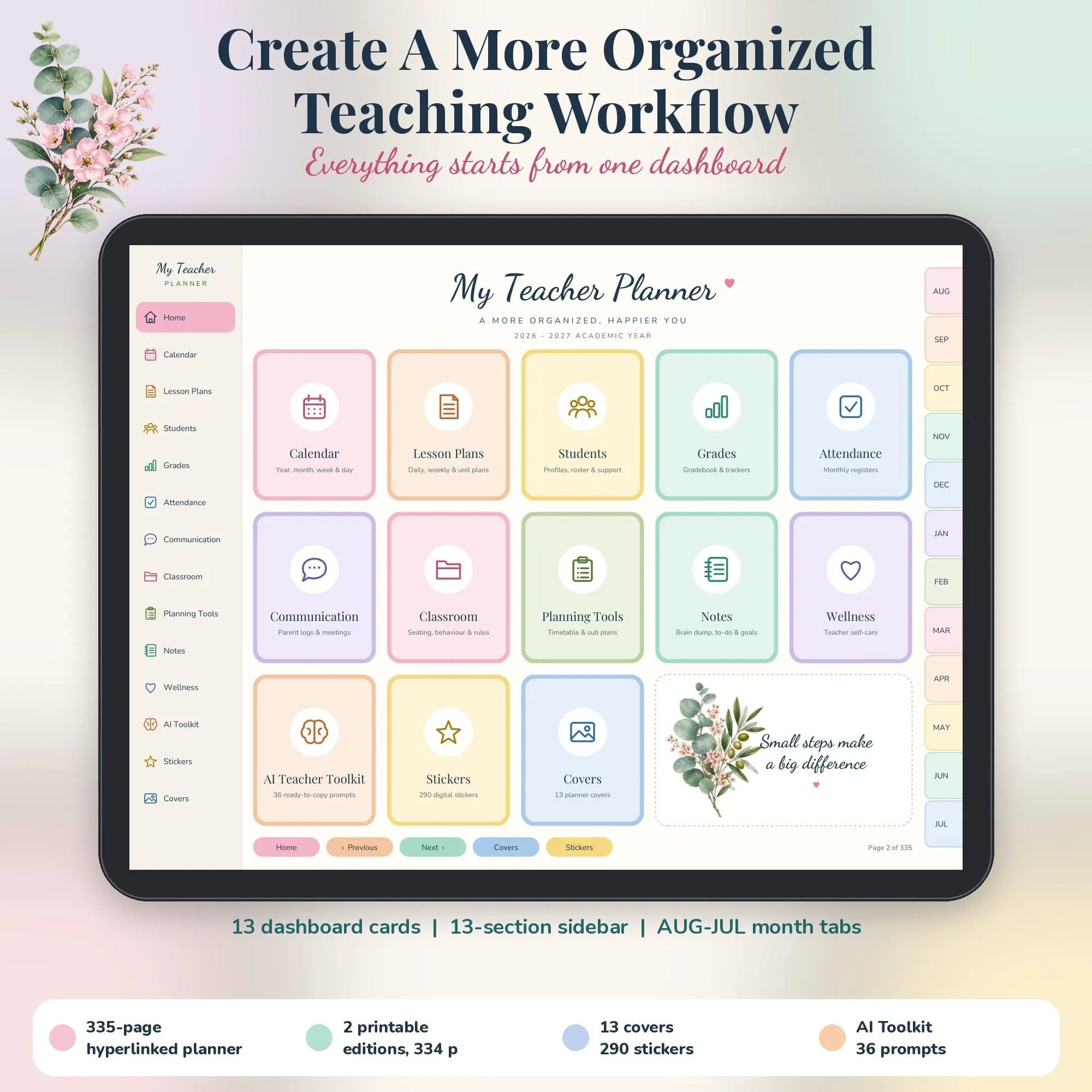
Import the hyperlinked planner PDF into your preferred PDF annotation app. Use the printable editions when you want to plan on paper.
Make it your teaching space
Choose a cover, explore the dashboard and plan your next lesson. Add class details, notes and the pages you use most.
Your teaching toolkit
Everything starts with your planner.
Keep these resources together when you organize your download.
- Hyperlinked digital planner
- Colour & black-ink-friendly printables
- Bonus AI Teacher Toolkit
- Digital stickers & planner covers
- Quick Start & Teacher Setup guides
A helping hand
Need help finding your files or getting started?
Contact Cloudgroupz support with the email used at checkout, your payment reference and a short description of what you need help with.
Contact Planner Support →Quick answers
Before you start planning
Which file should I use on my tablet?
Use the hyperlinked digital planner PDF for on-screen navigation. Open it in a PDF annotation or note-taking app that supports PDF links. Your tablet, stylus and annotation app are separate from the planner purchase.
Can I print the planner?
Yes. The package includes US Letter printable editions in colour and black-ink-friendly layouts. Use these files for paper planning.
What if a link does not open in my app?
Check your app's link or reading mode. Hyperlink behaviour can vary by app, version and mode. The included guide is a useful place to start.
Where do I get help with access?
Email omprakashpoh1234@gmail.com with your checkout email and payment reference so support can help locate your order.